This page summarizes a typical Acbuy shopping guide loop: select products via Taobao / Tmall / 1688 links or Acbuy search, then place orders, pay, review QC, and submit parcels on Acbuy. Exact button names in your agent UI can change; always follow what you see in your logged-in account.
Below is a practical Acbuy shopping guide summary for product links, payment, warehouse QC, and parcel shipping. If anything disagrees with the live Acbuy shopping guide, trust the website. 9 steps are included here.
Step 1Select Product
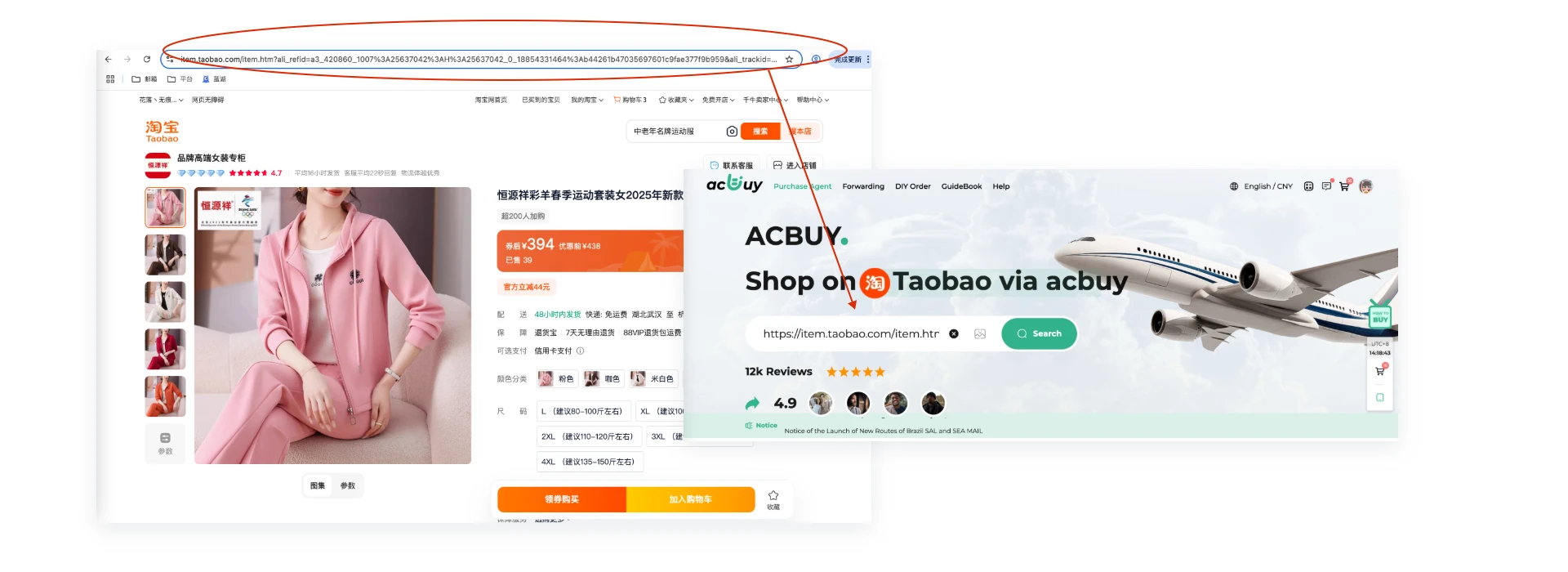
Method 1
Find the product you want to buy on Taobao/Tmall/1688, copy the link, then paste the product URL into the search bar.
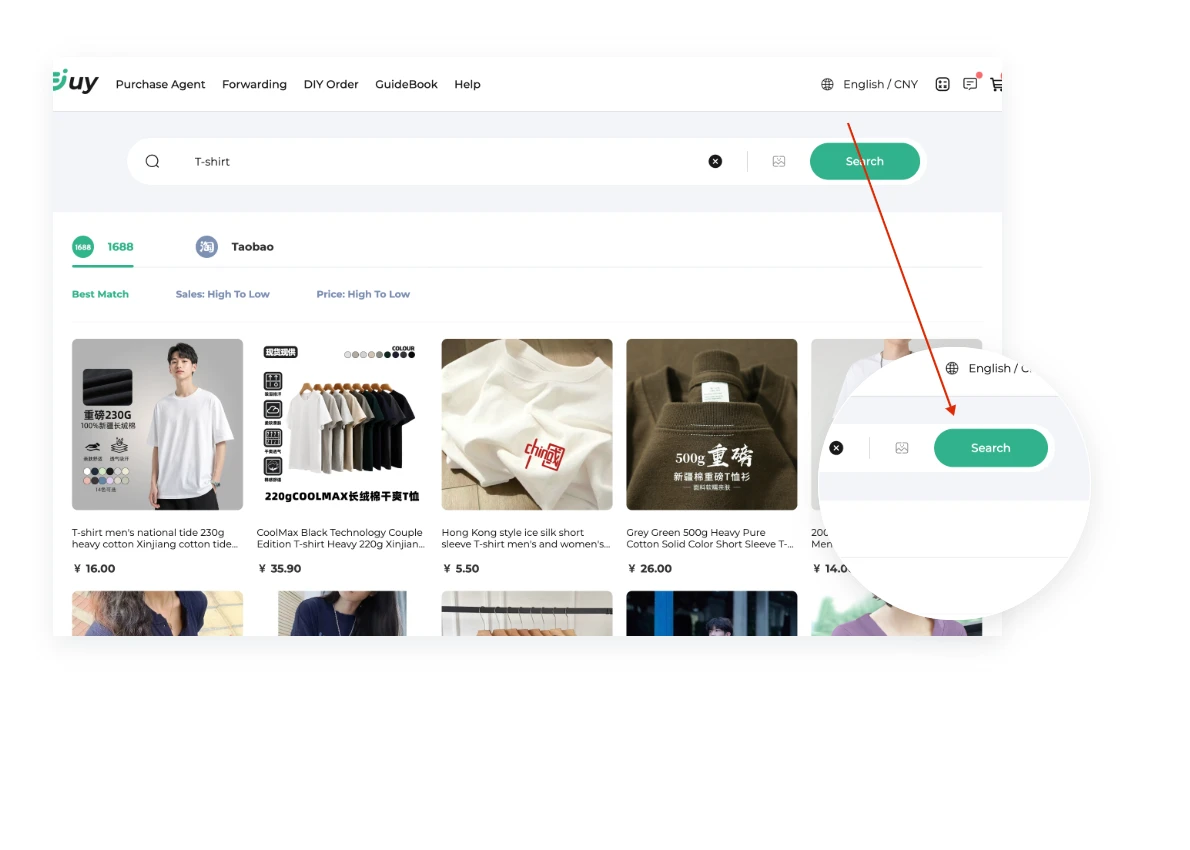
Method 2
Enter the product name in the Acbuy search bar and select from the recommended Taobao, Tmall, and JD products.
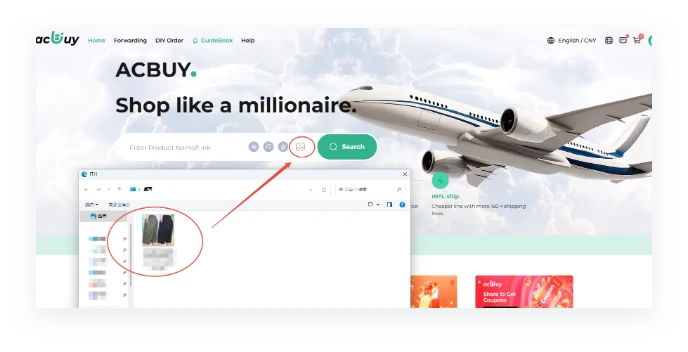
Method 3
Use the image search function to find similar products.
Step 2Place the Order
Method 1
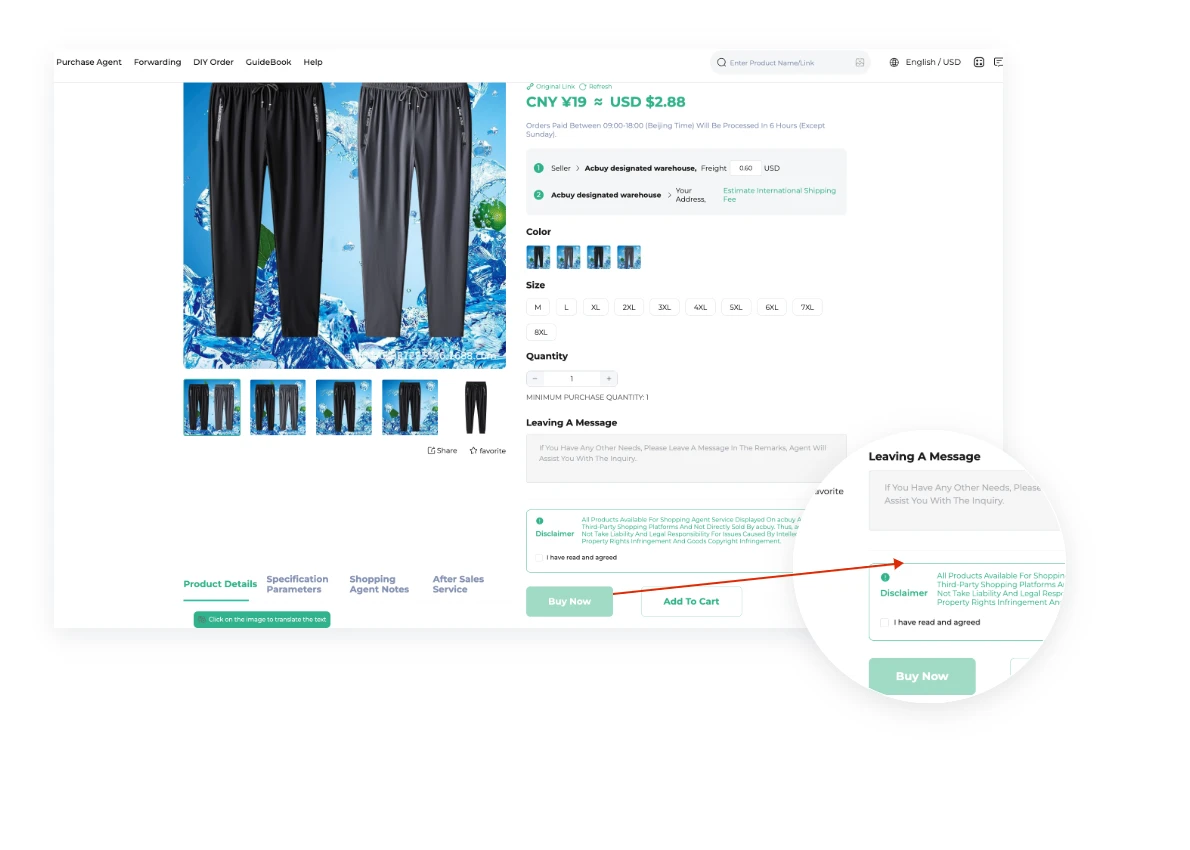
Acbuy supports information retrieval for 99% of Taobao/Tmall/1688 products. You can directly select product color, size, and quantity, then click "Add to Cart" or "Buy Now".
Method 2
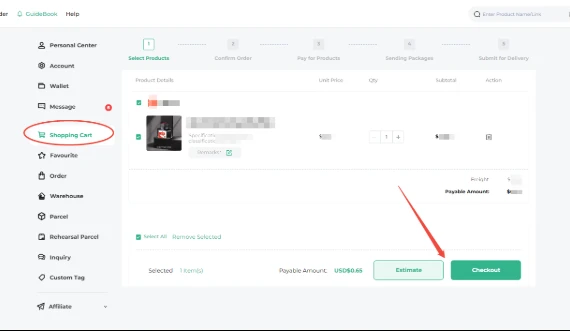
Select the items you want to order from the shopping cart and click the "Check Out" button to place your order.
Step 3Pay for the Order
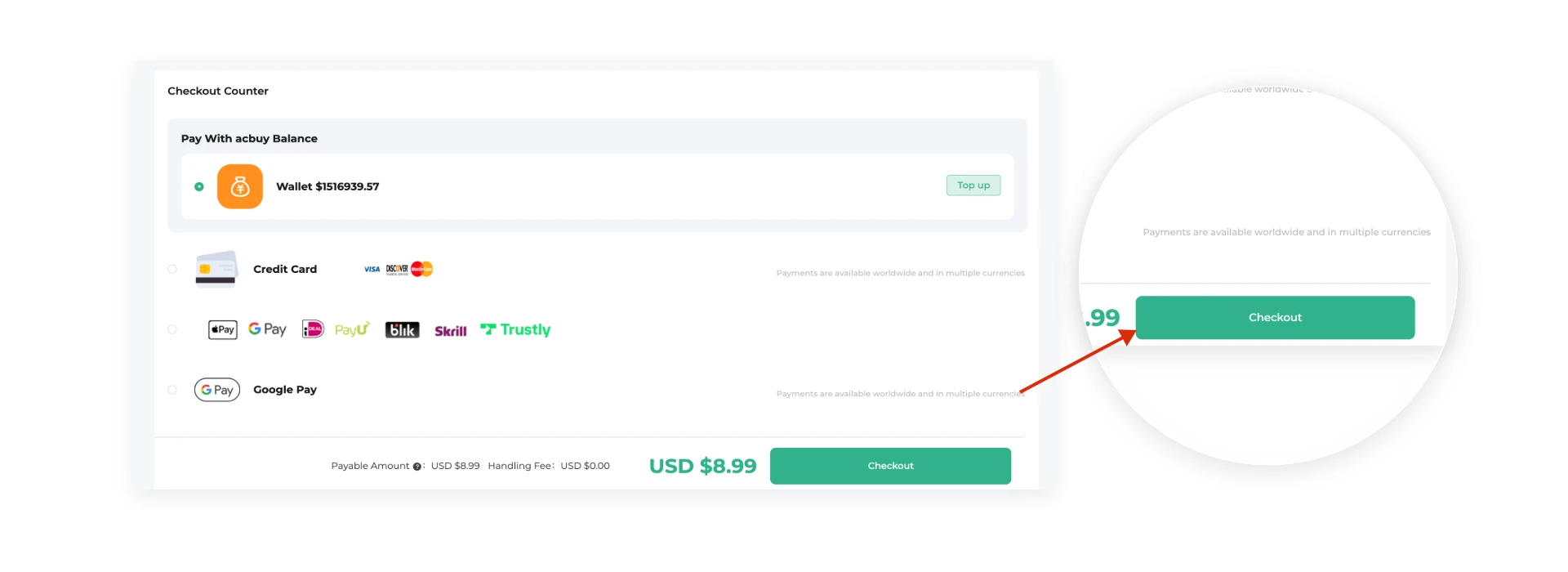
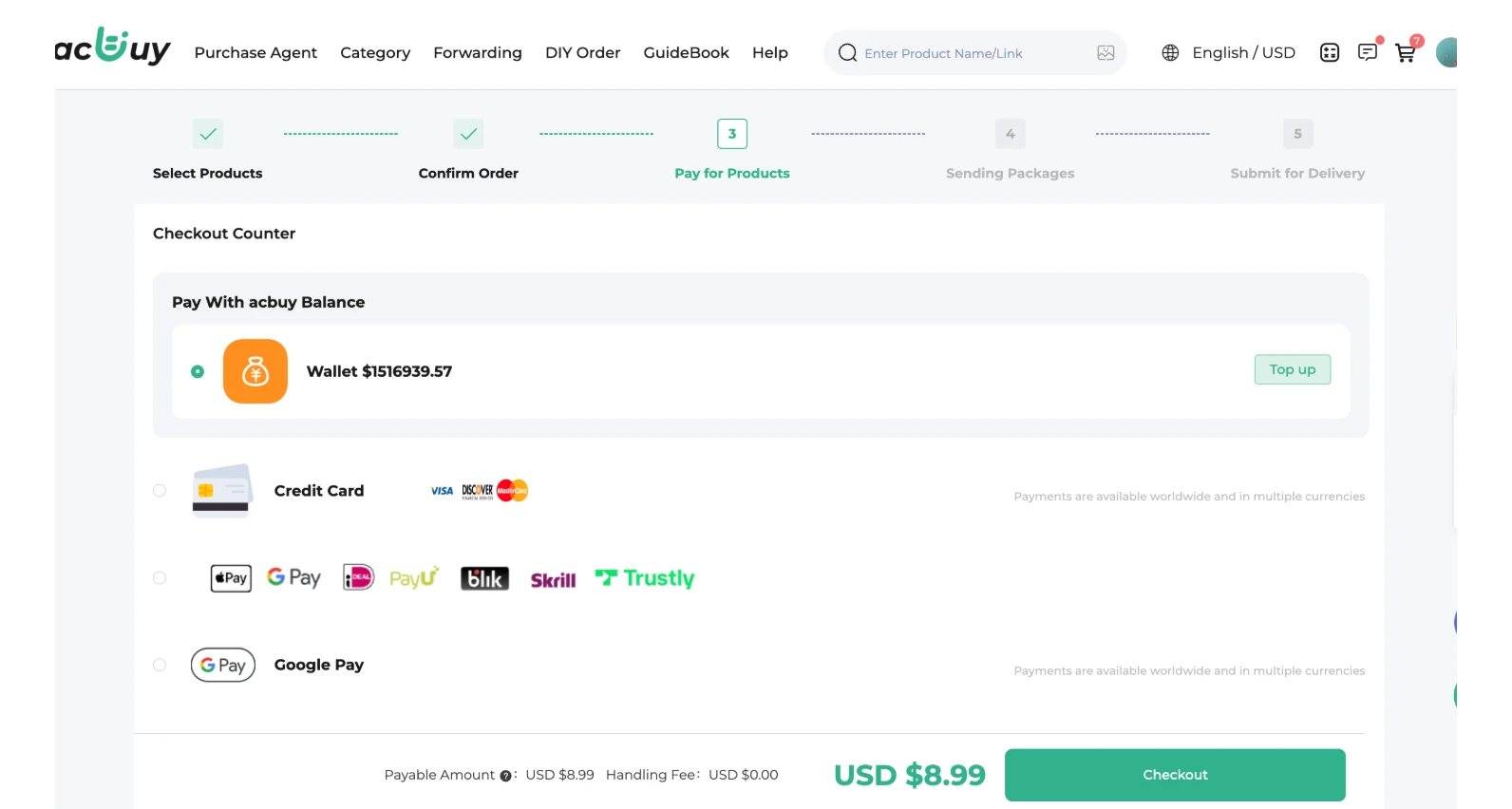
Place the order, choose a payment method, and pay for the product and the domestic shipping fee in China(the shipping fee for the products to the Acbuy designated warehouse).
Step 4Agent Helps with Purchasing
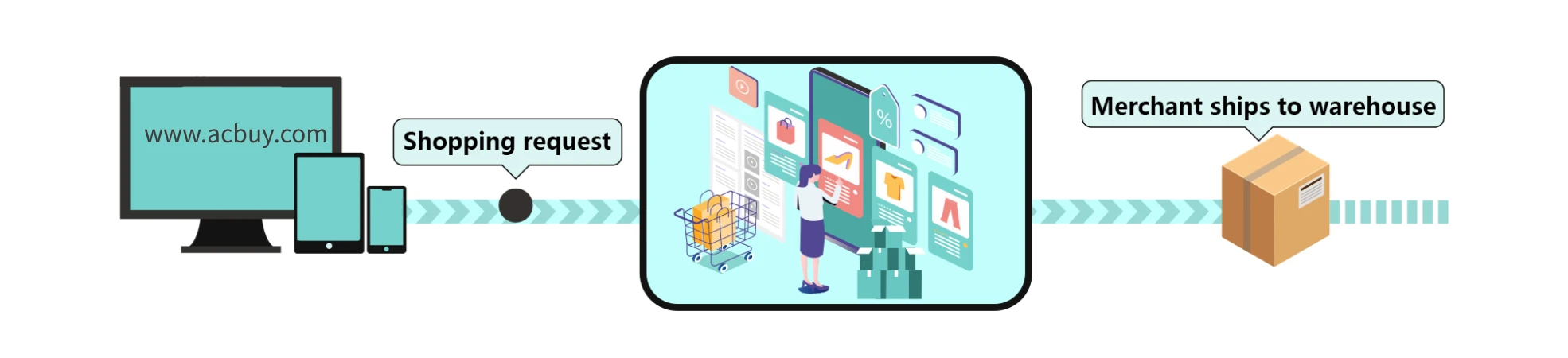
Our shopping agent will reach out to the seller and purchase the product you ordered.
Step 5Quality Inspection & Storage
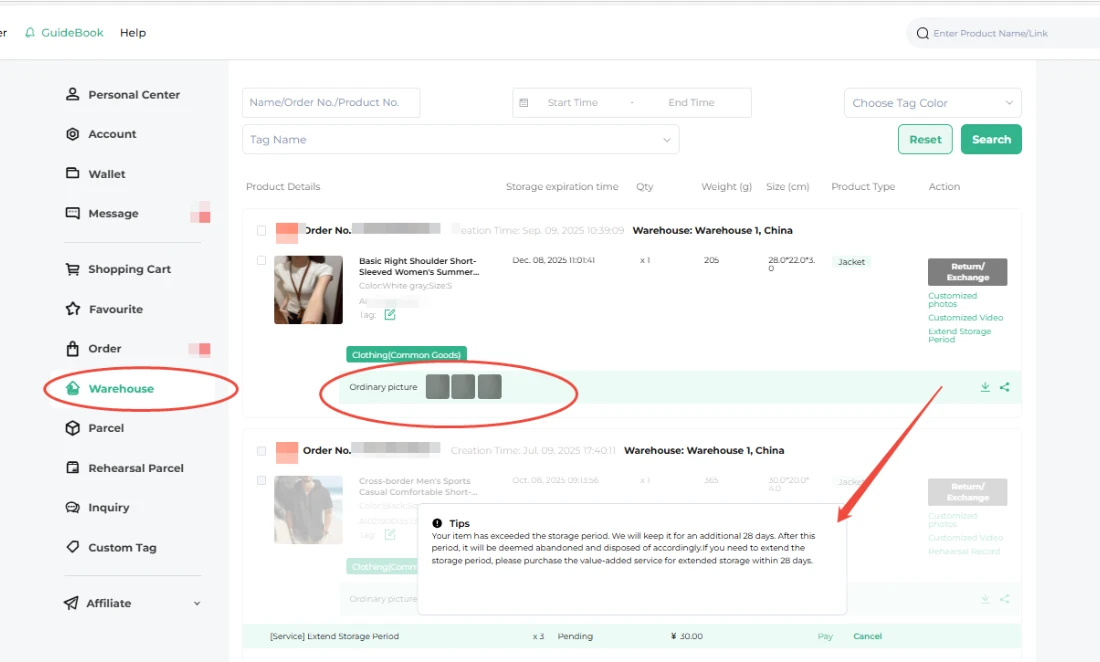
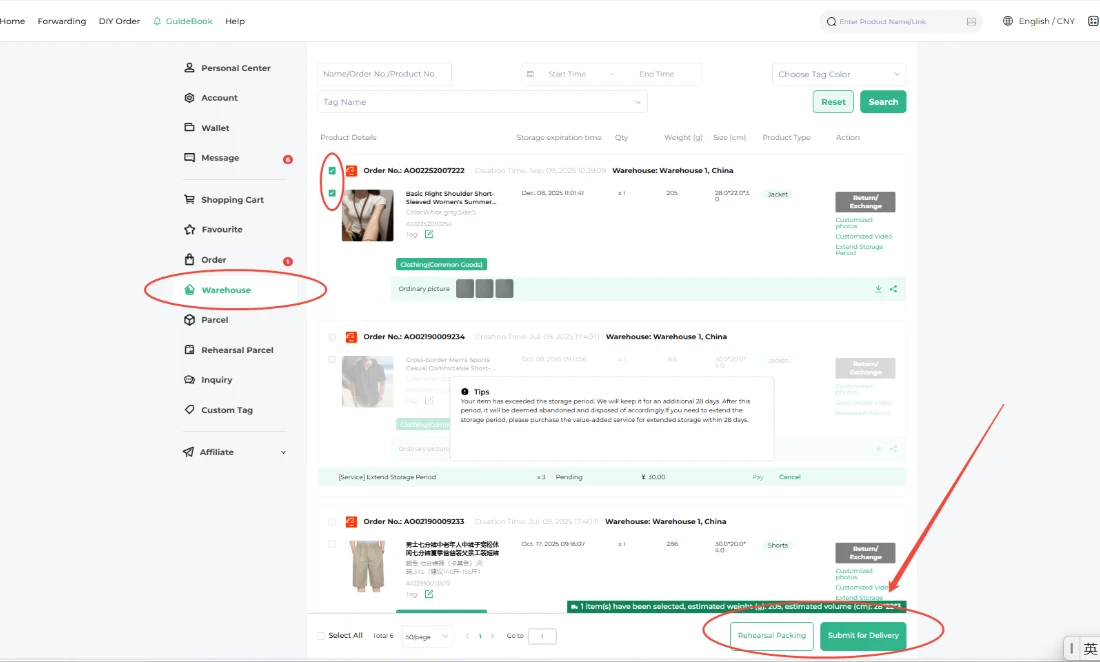
Receipt, inspection, weighing, photographing, and storage. After storage, the orders will be found in "Me" - "Warehouse". You can check the QC photos under the orders, usually, three free photos will be provided. Enjoy 90 days of free storage, followed by an optional paid extension of up to 90 days. If no extension is purchased (or if fewer than 90 days are purchased), a 28-day grace period will support, during which you may buy "Extend Storage Period" and submit your parcel. Please note that orders exceeding a cumulative total of 180 days (including any extensions) will be automatically destroyed. We appreciate your understanding and compliance with this policy. Feel free to submit your parcel for shipment at your convenience!
Step 6Submit a Parcel
How to Submit a Parcel on Acbuy
In the "Warehouse" page, select the product, click on Submit Parcel, fill in the overseas recipient's address information, and choose from the recommended shipping methods.
Step 7Pay the International Shipping Deposit
Select a payment method and pay the international shipping deposit, which includes customs clearance fees, warehouse handling fees, and value-added service fees.
Step 8Acbuy Shipment
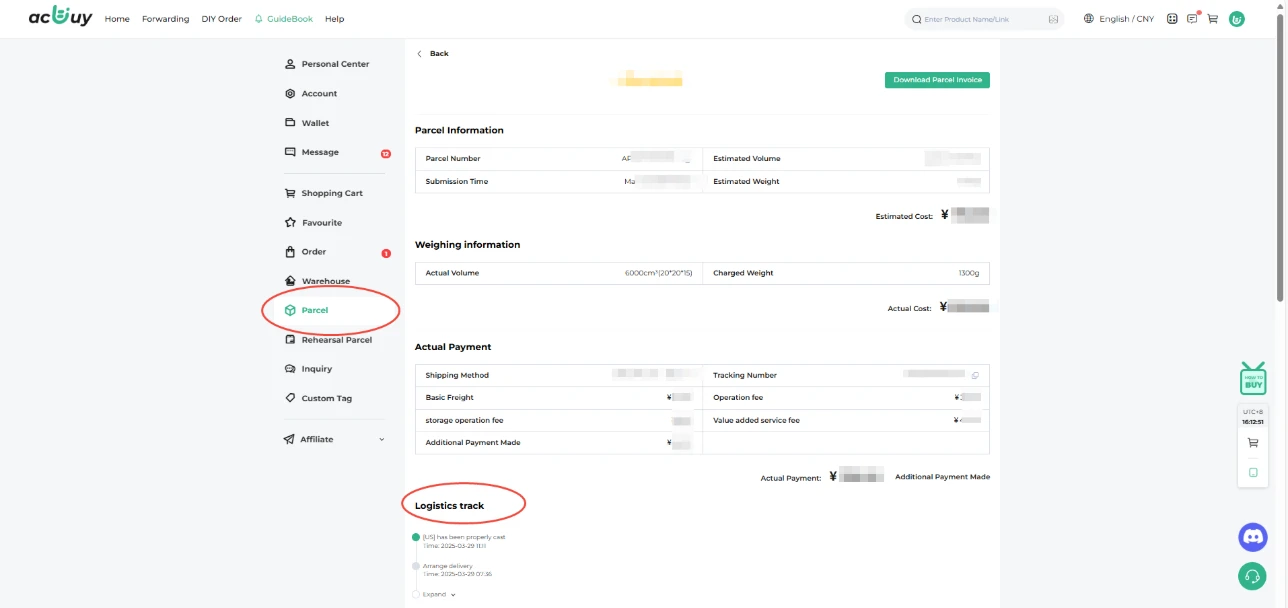
After you successfully pay the international shipping fee, our warehouse team will pack your parcel based on the details you provided. They'll weigh and measure the volume to calculate the exact shipping cost, which you can view on the "Parcel" page. Your parcel will then be shipped promptly from our Acbuy designated warehouse to its destination through reliable international shipping. You can track it by going to the "Me"-"Parcel"-" Parcel details" page. Sit back and await your parcel - it's on its way!
Final Step 9Delivered & Reward
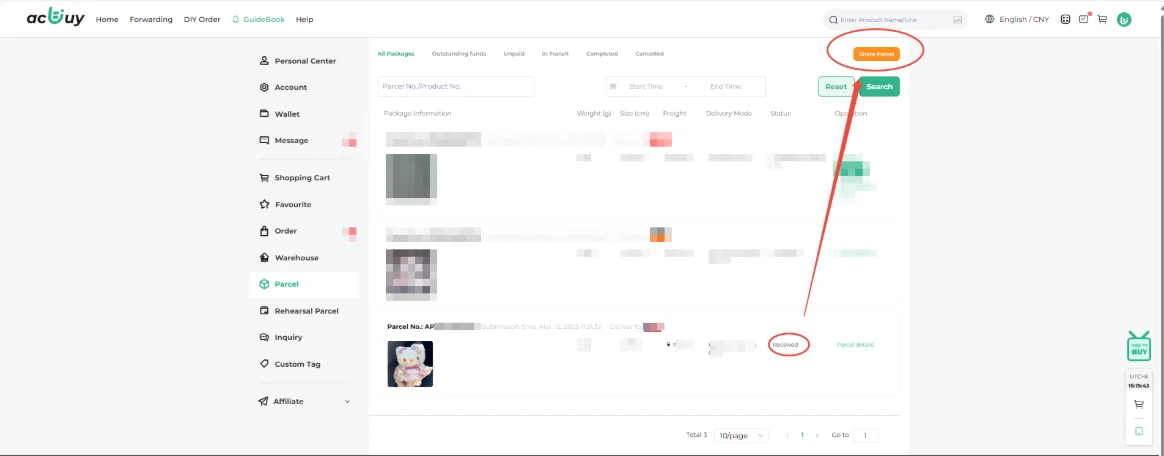
After you successfully pay the international shipping fee, our warehouse team will pack your parcel based on the details you provided. They'll weigh and measure the volume to calculate the exact shipping cost, which you can view on the "Parcel" page. Your parcel will then be shipped promptly from our Acbuy designated warehouse to its destination through reliable international shipping. You can track it by going to the "Me"-"Parcel"-" Parcel details" page. Sit back and await your parcel - it's on its way!